Hi @Mpanarin  , I’m glad that the guide was helpful for you!
I’ve created a small repo that should replicate the important bits of your setup.
/tmp/mix-example is the git root and /tmp/mix-example/elixir_app is the elixir application.
When you first open a new Elixir file in the elixir application you should see a prompt to choose the root folder:
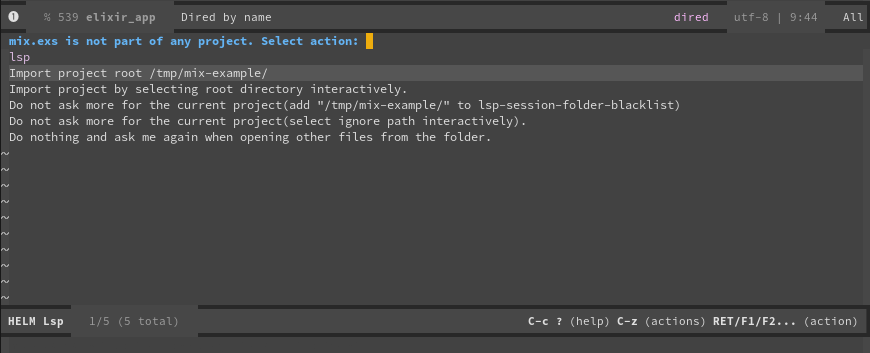
Since your elixir project is not directly in your git root (/tmp/mix-example) you should select the “Import project by selecting root directory interactively” option. Then you choose the elixir project root:
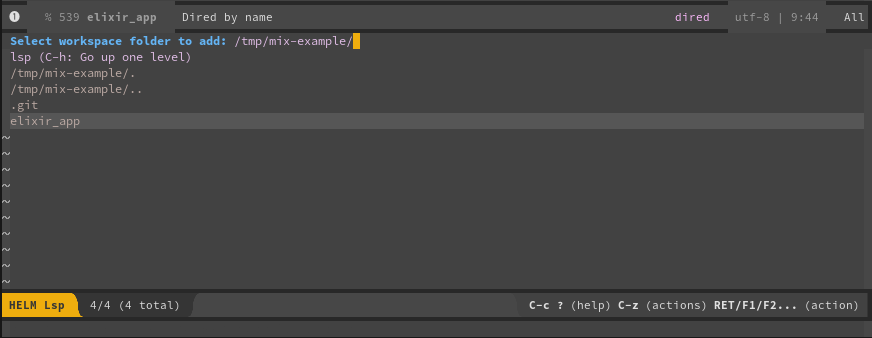
If you’ve already made the selection for your project you can remove the matching path from the your ~/.emacs.d/.lsp-session-v1 file (there may be a way to edit it nicely from within Emacs but I’m not aware of it).






















