
rodloboz
Hakushi: a canvas for Phoenix LiveView

Hi everyone!
You may remember Kotoba, Masu, Jumon and Koyomi. Today I want to share the newest member of that family: Hakushi (白紙, “a blank sheet of paper”).
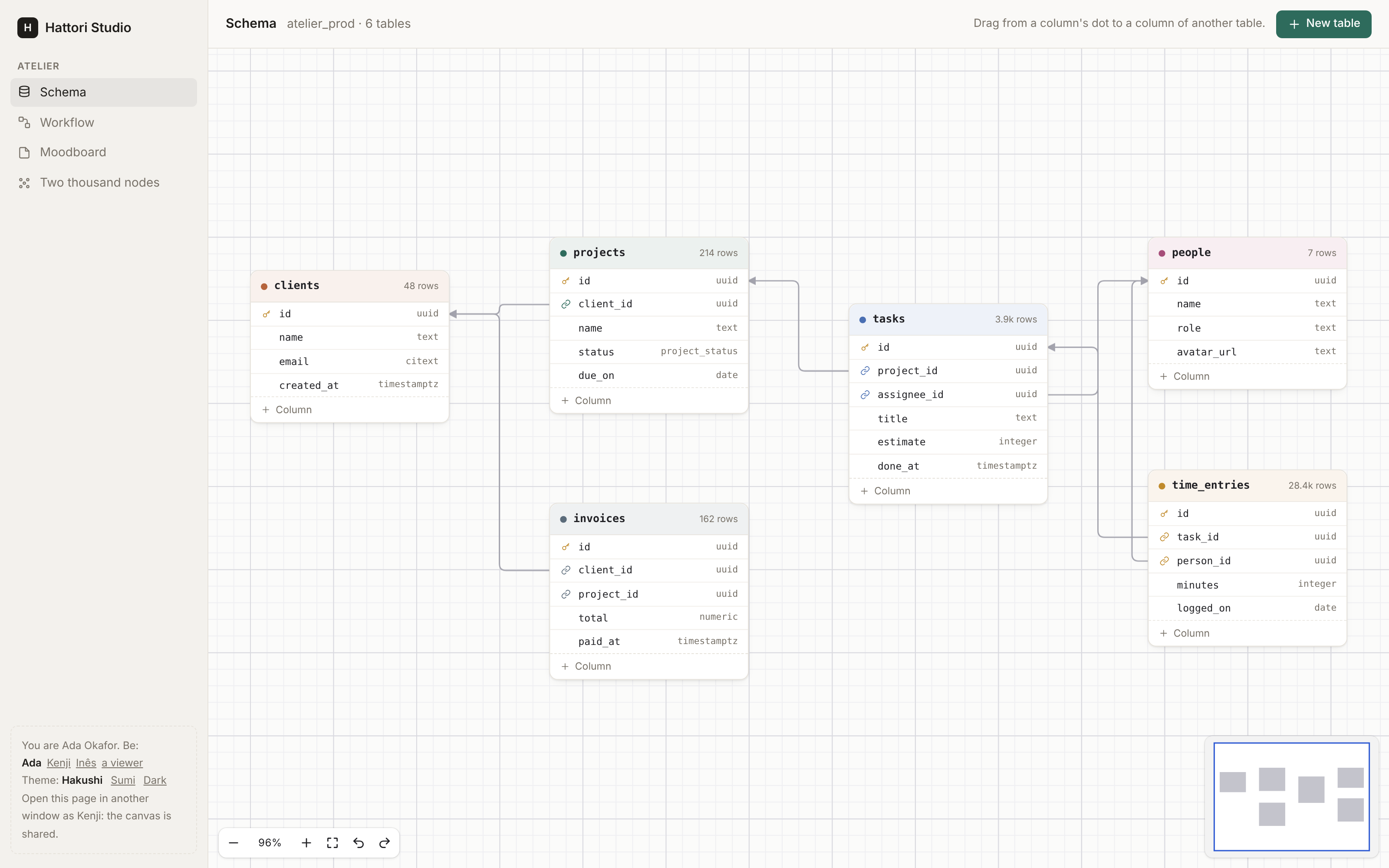
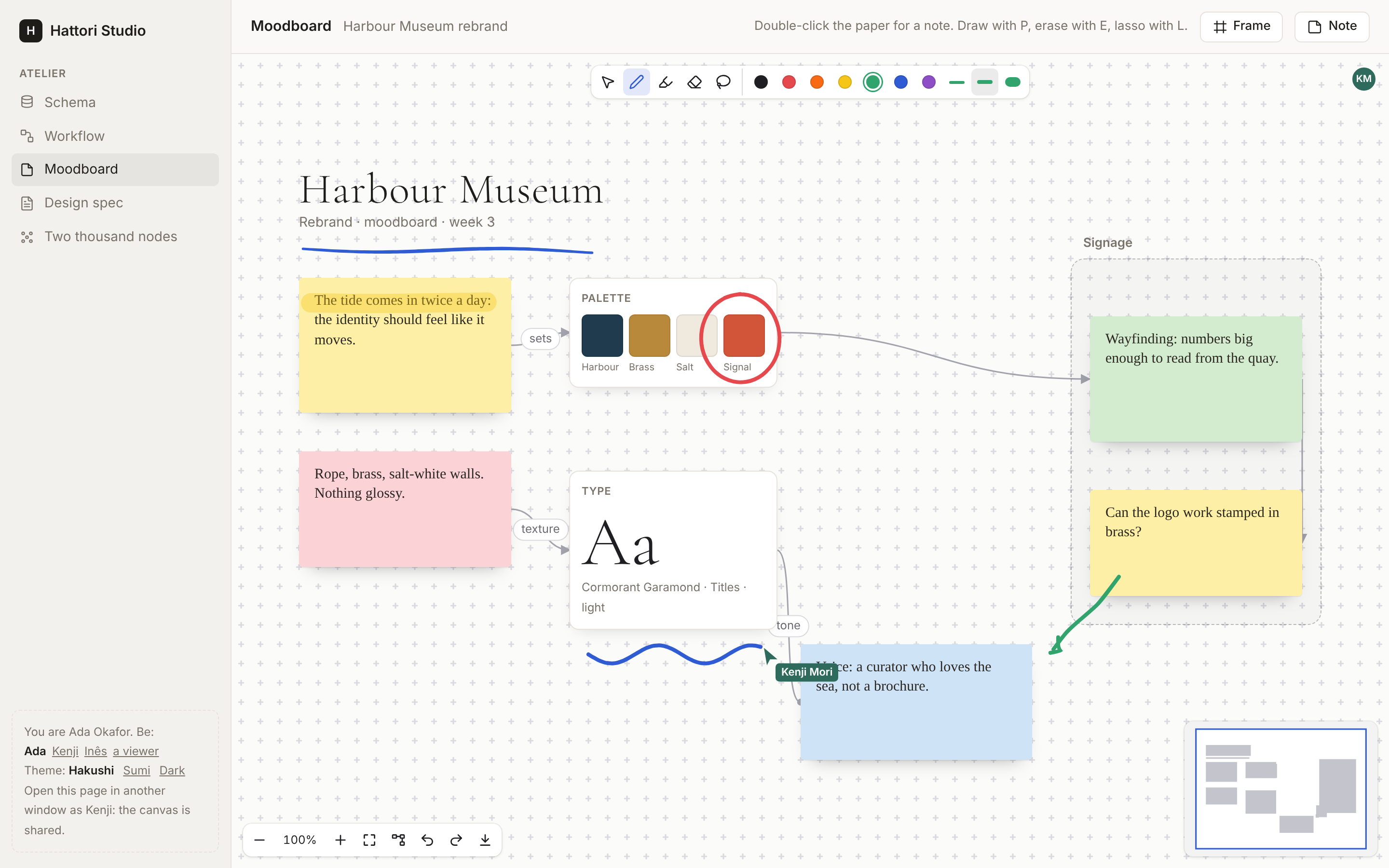
Hakushi is a canvas for LiveView. It gives you an endless sheet that people can pan and zoom, with nodes on it and lines between them. Think database schemas, workflows, moodboards, whiteboards, mind maps: anything that is boxes and arrows.
I made it for people who want to build real apps on top of a canvas, not just show a diagram. If that is you, please give it a try. I think you will like how it feels.
How it works
Each node is your own HEEx, rendered on the server. You write one slot for each type of node and put handles where edges can start and end. A handle can be on the whole node, or on one row inside it, like each column of a table.
Your server stays in charge. When someone moves a node, draws an edge or pastes something, the change goes to your on_change first. You check it and save it. If you return an error, the browser undoes the change and shows your message. Rules like “no cycles” or “only connect columns of the same type” are checked in the browser while people draw, and again on the server.
<.canvas id="flow" graph={@graph} on_change={&Flows.change(&1, &2, @flow)}>
  <:node type="step" :let={node}>
    <div class="step">
      <.handle kind={:target} side={:left} />
      {node.data.title}
      <.handle kind={:source} side={:right} />
    </div>
  </:node>
</.canvas>
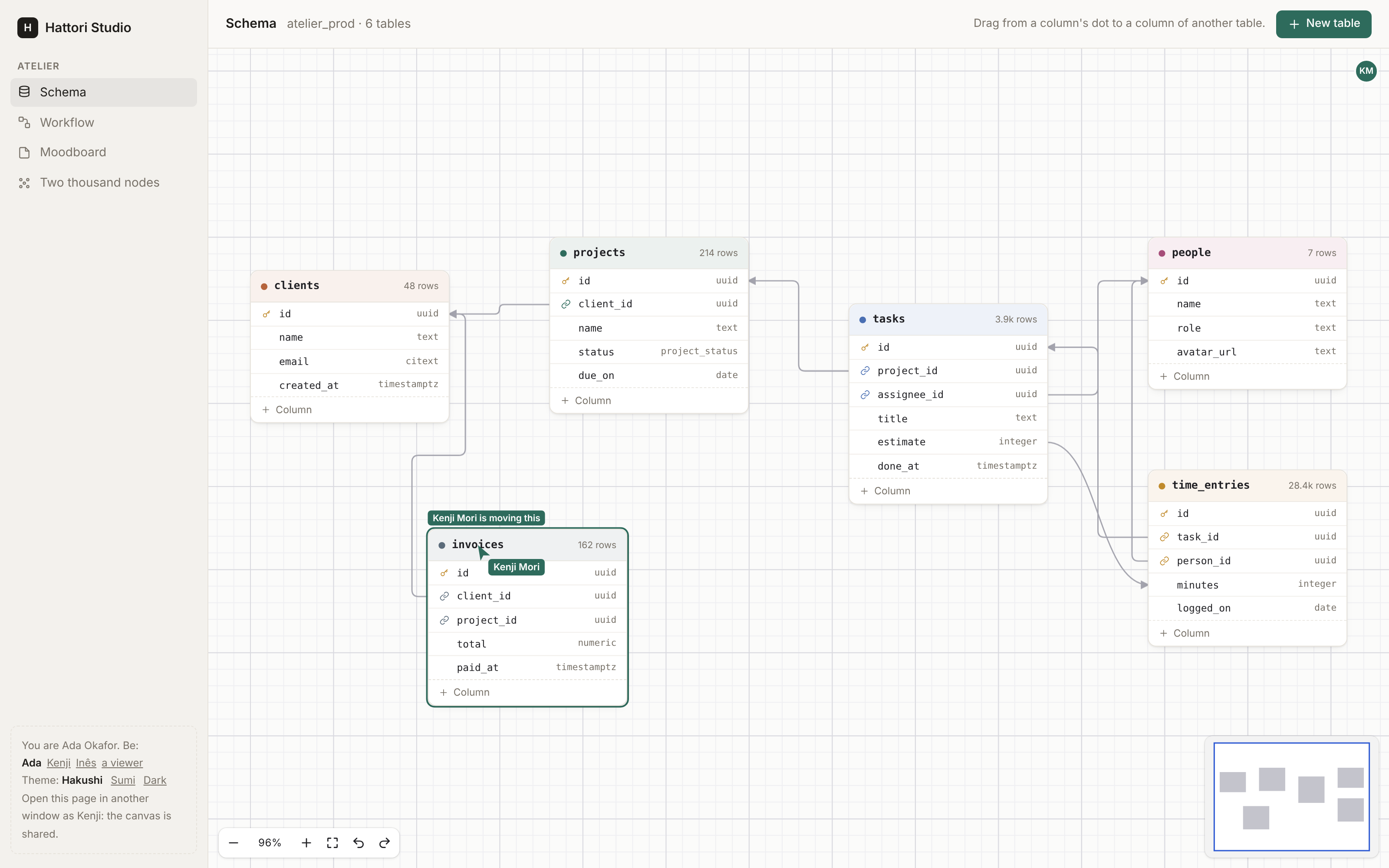
With Issho, a canvas is shared. Everyone on it sees each change as it happens, with live cursors, selections and drags. Your policy decides who can do what, and you do not need another service.
You also do not need Node.js. The JavaScript comes prebuilt in the Hex package, and you add one hook and one style sheet. For tests, Hakushi.Test moves, connects and deletes nodes in Phoenix.LiveViewTest, with no browser.
Kits
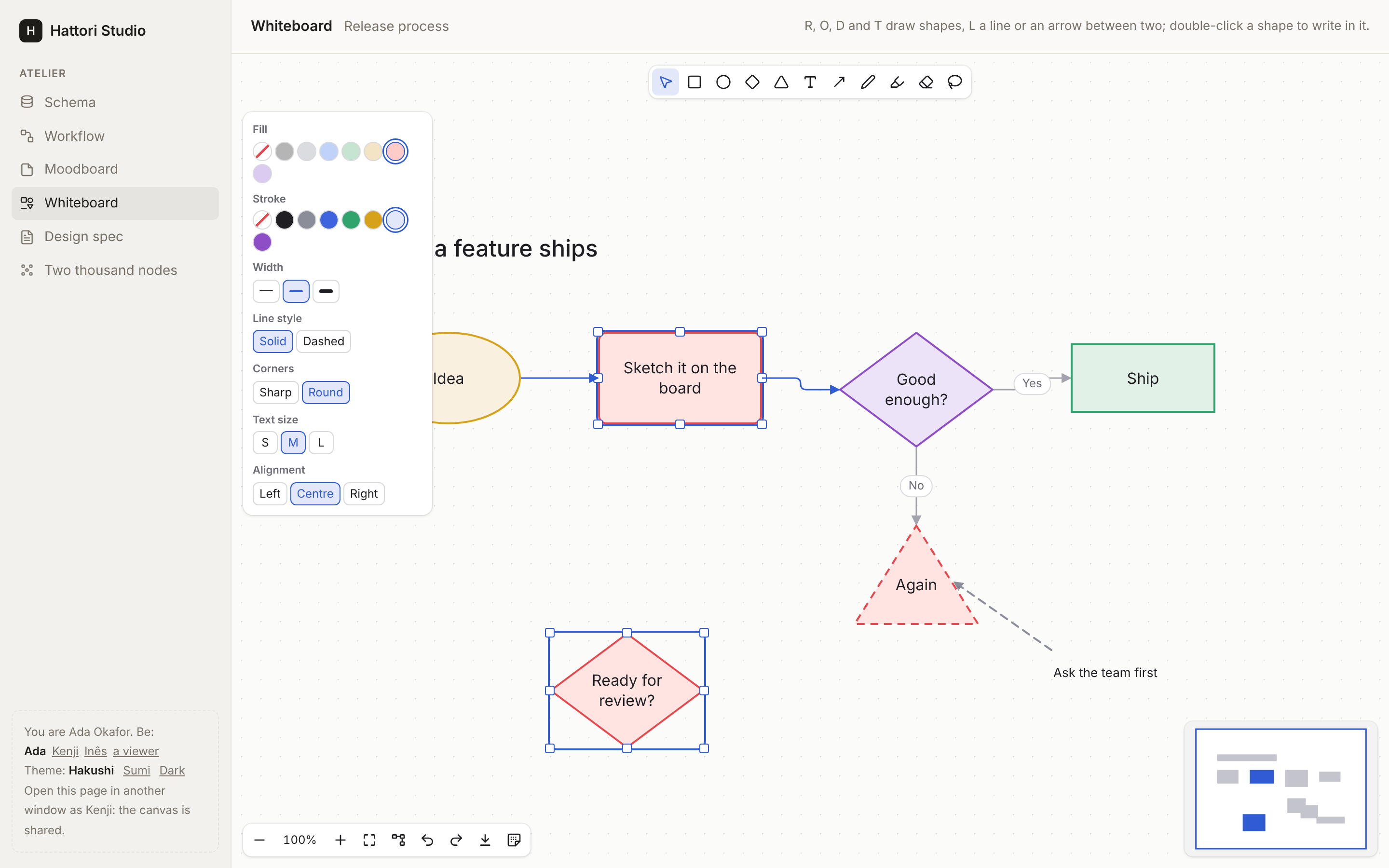
A kit turns the canvas into a certain kind of tool, in one line. Hakushi comes with six: Schema (tables and foreign keys), Flow (triggers, steps and conditions), Notes (sticky notes), Shapes (a whiteboard), Ink (a pen, a highlighter, an eraser and a lasso) and Images (dropped, pasted, cropped and captioned, with files kept by Storehouse).
<.canvas id="board" graph={@graph} kits={[Hakushi.Kits.Shapes, Hakushi.Kits.Ink]} on_change={&Boards.save(@board, &1, &2)} />
You can also write your own kit with the Hakushi.Kit behaviour. Honestly, this is the part I am most excited about. I would love to see the kits you build.
A live canvas inside a Kotoba document
This is my favourite part. If you use the latest Kotoba, you can put a live canvas right inside the rich text editor. People draw on it in the middle of the text. When they want more room, they open it full screen, explore the whole canvas, and go back to the document.
So a design doc can hold its database schema, its workflow and its open questions between the paragraphs, and all of them are real canvases that you can edit.

These screenshots are from Notebook, the demo app of the family: a Kotoba page with a Hakushi board inside it.
Try it
If you have Igniter, it is one command:
mix igniter.install hakushi
If you do not, add {:hakushi, "~> 0.4"} to your deps and run mix hakushi.install. Then the Quickstart takes you to your first canvas that saves its changes.
The repository also has a demo app with a schema, a workflow, a moodboard, a whiteboard, a design spec and a canvas of two thousand nodes. Clone it, run mix setup && mix dev, and open a second window as another person to see two people work on one canvas.
- Docs: Hakushi v0.5.0 — Documentation
- Hex: hakushi | Hex
- GitHub:
Questions, issues and ideas are all welcome. And if you build something with it, please show me!
Where Next?

Trending in Announcing


Other Trending Topics



 Latest Phoenix Threads
Latest on Elixir Forum
Sponsor Spotlight

Deploy Phoenix to your own VPS with PaaS ease: push-to-deploy, zero downtime, auto SSL, managed Postgres. 14-day free trial at potions.io
Categories:
Sub Categories:
Forums
Popular Tags
- #ecto
- #liveview
- #troubleshooting
- #learning-elixir
- #library
- #deployment
- #erlang
- #testing
- #genserver
- #mix
- #absinthe
- #remote-other
- #otp
- #plug
- #how-to-question
- #macros
- #postgres
- #elixirconf
- #channels
- #exunit
- #code-sync
- #discussion
- #podcasts
- #javascript
- #onsite
- #dialyzer
- #docker
- #authentication
- #ai
- #umbrella
- #full-time-contract
- #elixirconf-us
- #podcasts-by-brainlid
- #blog-post
- #ecto-query
- #elixir-ls
- #phoenix_html
- #iex
- #graphql
- #genstage
- #websockets
- #supervisor
- #advent-of-code
- #distillery
- #elixirconf-eu
- #processes
- #security
- #api
- #forms
- #performance
Our Sponsors

Build Elixir applications with speed and confidence.

Supporting innovation across the BEAM ecosystem.

We build reliable cloud platforms for business-critical systems.

Error tracking, logs, uptime, and Just Enough APM. Built for developers.

Elixir, Erlang & BEAM conferences from Code Sync. Next: ElixirConf EU 2027

Practical resources that improve the lives of professional developers.

Master modern tools, write cleaner code, and tackle real-world challenges.

Bringing learning, work and compliance together since 1987.

The team behind Membrane, Popcorn, LiveDebugger. Available for hire.

Courses that'll move you from confusion to "Aha, now I get it!"
Showing Posts 1 to 4- Show Best Posts
- Show All (oldest first)
- Show All (newest first)
jhosteny
This looks really nice @rodloboz !
rodloboz
Thanks! Let me know if you try it out and have some feedback
uzaydurdu
I liked it @rodloboz, nice to have something like this!
rodloboz
@uzaydurdu I’m using it in a couple of projects and it’s a nice tool I reach out to now. I’m sure it’s possible to be super creative with it and if folks have ideas to improve it or for feature happy to hear them