I use Livebook for experimentation, sort of like REPL-driven development. I find many times when I would like to disable a cell without deleting it.
For example, let’s say I have a cell near the top which does some mutations. But later on, I want to break it down and test some elements incrementally. I still want my “how this should work” example to exist at the top, but I don’t want to run it. I’d like to disable it so my subsequent cells can run.
Yes, I could move the cell down, down, down, down some number of times; or I could select all within the cell and comment out. But I’m hoping for a simple on/off checkbox. If the cell is disabled, then it will be skipped when a lower cell is run from a fresh state.
2 Likes
A little late on the response, but one quick and dirty way would be to select all text in the cell then comment all lines.
e.g on a Mac: Apple-a, Apple-/
Repeat to reactivate the cell.
Check the keyboard shortcuts for your environment for detail.
Hope that helps and is a reasonable solution.
Livebook.dev - The Livebook Blog .
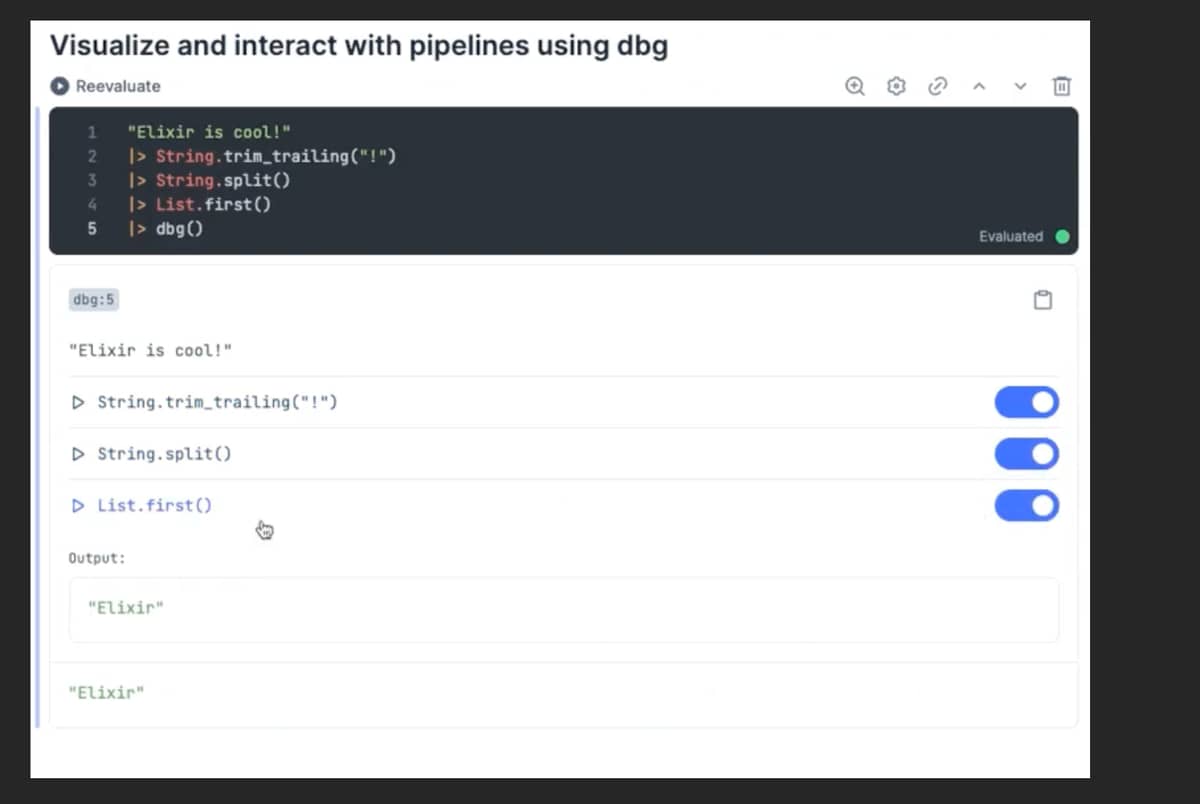
You can also use dbg to get a nice UI.
1 Like
@christhekeele
To toggle a whole cell, I would do:
In Cell 1, create some data
a = 1
In Cell 2, create a checkbox
input = Kino.Input.checkbox("Increment a")
In Cell 3, conditionally update state
a = if Kino.Input.read(input) do
 # Do your stuff in here
 a + 1
else
  a
end
You might need to enable auto re-evaluation using the settings icon on cell 3