
pcharbon
A direct-mode Terminal UI framework for Elixir/BEAM, inspired by BubbleTea (Go) and Ratatui (Rust).
TermUI leverages BEAM’s unique strengths—fault tolerance, actor model, hot code reloading—to build robust terminal applications using The Elm Architecture.
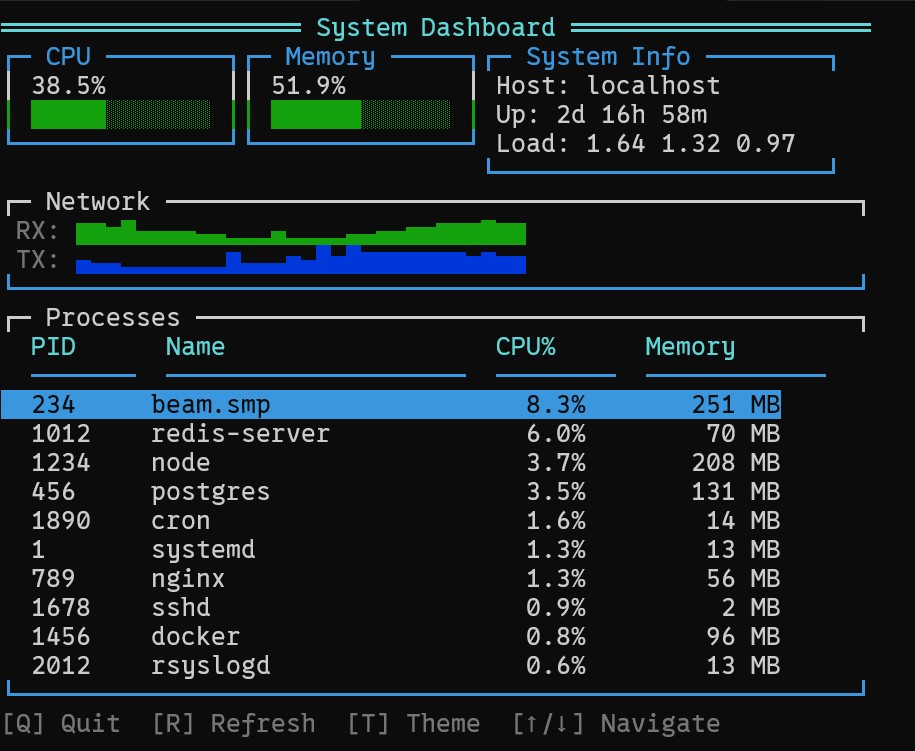
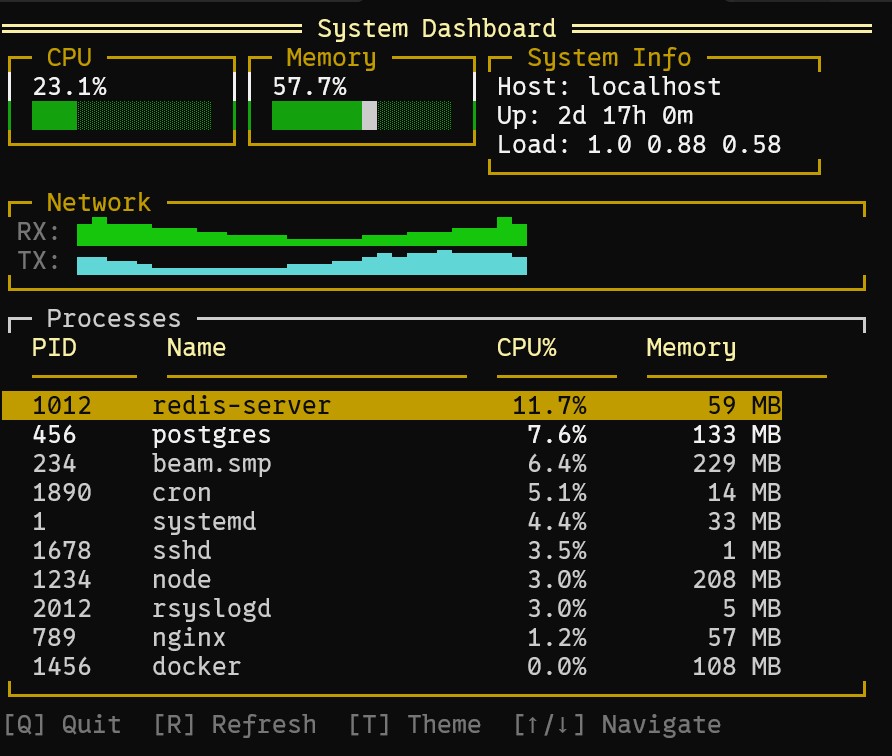
Features

-
Elm Architecture - Predictable state management with
init/update/view -
Rich Widget Library - Gauges, tables, menus, charts, dialogs, and more
-
Efficient Rendering - Double-buffered differential updates at 60 FPS
-
Themable - True color RGB support (16 million colors)
-
Cross-Platform - Linux, macOS, Windows 10+ terminal support
-
OTP Integration - Supervision trees, fault tolerance, hot code reload
Installation
Add term_ui to your dependencies in mix.exs:
def deps do
  [
    {:term_ui, "~> 0.1.0"}
  ]
end
Where Next?

Trending in Announcing




Other Trending Topics





Latest on Elixir Forum
Sponsor Spotlight

Deploy Phoenix to your own VPS with PaaS ease: push-to-deploy, zero downtime, auto SSL, managed Postgres. 14-day free trial at potions.io
Categories:
Sub Categories:
Forums
Popular Tags
- #ecto
- #liveview
- #troubleshooting
- #learning-elixir
- #library
- #deployment
- #erlang
- #testing
- #genserver
- #mix
- #absinthe
- #remote-other
- #otp
- #plug
- #how-to-question
- #macros
- #postgres
- #elixirconf
- #channels
- #exunit
- #discussion
- #code-sync
- #podcasts
- #javascript
- #onsite
- #dialyzer
- #docker
- #authentication
- #umbrella
- #full-time-contract
- #podcasts-by-brainlid
- #ecto-query
- #ai
- #elixirconf-us
- #blog-post
- #elixir-ls
- #phoenix_html
- #iex
- #graphql
- #genstage
- #websockets
- #supervisor
- #advent-of-code
- #distillery
- #processes
- #api
- #forms
- #elixirconf-eu
- #metaprogramming
- #hex
Our Sponsors

Build Elixir applications with speed and confidence.

Supporting innovation across the BEAM ecosystem.

We build reliable cloud platforms for business-critical systems.

Catch errors, track performance, monitor hosts and more.

Error tracking, logs, uptime, and Just Enough APM. Built for developers.

Practical resources that improve the lives of professional developers.

Master modern tools, write cleaner code, and tackle real-world challenges.
The deployment platform built for Elixir: PaaS ease, VPS control.

The team behind Membrane, Popcorn, LiveDebugger. Available for hire.

Courses that'll move you from confusion to "Aha, now I get it!"
Showing Posts 1 to 10- Show Best Posts
- Show All (oldest first)
- Show All (newest first)
kevinschweikert
I tried the dashboard example and the refresh did not update the view. Would that be caused by
because the state diff is the same?
pcharbon
Yes unfortunately (or fortunately) you cant see the refresh. The rendering process uses two ETS buffers and only render a diff of the previous buffer and the next. I actually spent time trying to figure out why the refresh did not work haha
Note: you can see the past refresh by changing the theme.
AndyL
I was able to run all of your examples - no problems. Xubuntu 24.04, Ghostty, Elixir 1.19.3, Erlang 28.2.
(yeah the refresh on the dashboard was funky for me too…)
This looks like great work BRAVO.
fuelen
Looks very good
Schultzer
This looks nice and clean!
pcharbon
Yeah looked like a good idea to have a refresh on the dashboard for some reason. I was not expectint to be useless haha. Glad that it all worked, you never know when you publish.
pcharbon
Thanks, there are more widgets I want to do and hopefully people can just contribute theirs.
I am considering adding a DSL or some templating sigil maybe.
ghannam80
this looks very nice. I had some monitoring for some legacy systems that is using scripting like tail/sed and grep to alert people about issues based on logs. I wonder if the same can be done using it "time to explore”.
pcharbon
You could probably easily transform your scripts to .exs and run them from inside the TUI. I could definitetly see an email library tied into it even. Its elixir so sky is the limit. If you ever make an interesting widget for it, share it back if you can.
pcharbon
TermUI v0.2.0
New Widgets
Basic Widgets:
Overlay Widgets:
Layout Widgets:
Input Widgets:
Visualization Widgets:
Data Streaming Widgets:
BEAM Introspection Widgets:
Other Changes