
Fl4m3Ph03n1x
Background
I have a vanilla Phoenix LiveView project. This project has grown and now it has come to a point where I need to add a progress bar to display the progress of a long operation.
Now, LiveView comes with a minimalist CSS framework called milligram. This framework has no support for progress bars afaik. It also has no JavaScript.
Problem
The way I see it, have 3 options:
- start adding custom JavaScript scripts
- add a JavaScript library (like jQuery)
- add a JavaScript/CSS library (no idea which one to use here)
I frown upon option 1, mainly because for this specific use case, it means I will be re-inventing the wheel. I am fairly sure that progress bars are an issue that was solved long ago.
In regards to options 2 and 3, I am a little bit lost. I don’t know where I would add a JavaScript framework to Phoenix, nor do I know if doing so is recommended, as it may cause issues with LiveView’s native JavaScript code.
Questions
What I am looking for is the general consensus when it comes to LiveView apps:
- Do you add JavaScript libraries to your projects, or do you prefer going with JavaScript/CSS frameworks?
- If so, how/where do you put these? In which folders/files?
- What are the safest (the ones that cause less issues) libraries to use with LiveView?
- Which library/framework would you recommend ?
Please do let me know !
Where Next?

Trending in Discussions





Other Trending Topics


 Latest Phoenix Threads
Latest on Elixir Forum
Sponsor Spotlight

Bringing learning, work and compliance together since 1987.
Categories:
Sub Categories:
Forums
Popular Tags
- #ecto
- #liveview
- #troubleshooting
- #learning-elixir
- #library
- #deployment
- #erlang
- #testing
- #genserver
- #mix
- #absinthe
- #remote-other
- #otp
- #plug
- #how-to-question
- #macros
- #postgres
- #elixirconf
- #channels
- #exunit
- #discussion
- #code-sync
- #podcasts
- #javascript
- #onsite
- #dialyzer
- #docker
- #authentication
- #umbrella
- #full-time-contract
- #podcasts-by-brainlid
- #ecto-query
- #ai
- #elixirconf-us
- #blog-post
- #elixir-ls
- #phoenix_html
- #iex
- #graphql
- #genstage
- #websockets
- #supervisor
- #advent-of-code
- #distillery
- #processes
- #api
- #forms
- #elixirconf-eu
- #metaprogramming
- #hex
Our Sponsors

Build Elixir applications with speed and confidence.

Supporting innovation across the BEAM ecosystem.

We build reliable cloud platforms for business-critical systems.

Error tracking, logs, uptime, and Just Enough APM. Built for developers.

Elixir, Erlang & BEAM conferences from Code Sync - join us in 2026!

Master modern tools, write cleaner code, and tackle real-world challenges.
Bringing learning, work and compliance together since 1987.

Producing high quality Elixir screencasts since 2017.

The team behind Membrane, Popcorn, LiveDebugger. Available for hire.

Courses that'll move you from confusion to "Aha, now I get it!"
Showing Posts 11 to 20- Show Best Posts
- Show All (oldest first)
- Show All (newest first)
derek-zhou
Nice, I didn’t know that. I always use a colored div inside another uncolored div with dynamic width set by lv.
malloryerik
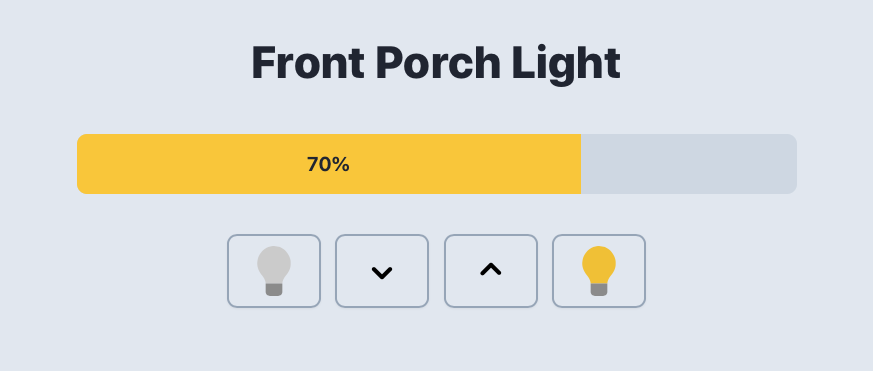
The Pragmatic Studio tutorial is solid and has good examples. Here’s a progress bar of sorts that they explain in the free sections of their course.
See a live demo of the progress bar-ish thing. I think you’ll see that this fits perfectly with the
progressHTML element that @al2o3cr has suggested.Looks like this btw:
As for JS in LiveView more generally, I personally still sprinkle in some Alpine here and there for some added development speed but you really don’t need it. Much more important is LiveView JS Commands that let you do common things, and LiveView Hooks as well as event listeners like
window.addEventListenerwhich along withJS.pushandJS.dispatchlet you create custom events (in bold because, well, if you really take in that section of the docs you’ll see why). So in this way LiveView has a kind of semi-prepared-foods counter of a JavaScript framework already baked in you can toss into the cooker with some enduring standards-based vanilla JS et voilà dinner is served.Hmmm, did (does?) the (supposedly) late Anthony Balducci not bear a suspicious resemblance to Chris McCord? Birds aren’t real – Huh wait, maybe… is that why Aston always seems so into this longevity stuff? Balducci wanted to go on with life but needed a clean break. Because of his gourmet grocery skills he had access to all of the top stem cell scientists in the NYC area and was made “young again” – haven’t you noticed how McCord seems wise for his years? And just as Balducci invented gourmet groceries that were frameworks for delicious meals, he now under his new identity fires up a framework for gourmet webapps, which “just came to him” while he was munching gourmet chocolate-covered coffee beans JUST LIKE THOSE YOU CAN BUY AT BALDUCCI’S, he came up with Phoenix, Phoenix, Phoenix, THE Phoenix, The PHOENIX which rises again from the ashes ahem… omg the soup thickens and yes, Elixir is the alchemical agent, Phoenix an alchemical precursor to it, to… to the Elixir of life eternal!!! Call Liebnitz, Frege and Boole, this logic is unimpeachable, something is cooking in the state of Denmark!
Fl4m3Ph03n1x
@malloryerik The main issue I have with that course, is that it uses an old version of Phoenix LV. The newer versions do not have tailwind, and come instead with milligram.
The difference is so massive, that I had to remake my entire project, from zero, to use milligram.
Unfortunately for me, it looks like absolutely no one in the planet is using milligram, so tutorials and guides using it with LV are close to non-existent.
I am using the HTML progress element (as suggested by @LostKobrakai and @al2o3cr ), which seems to work just fine for the time being. Now I need to polish it into something that wont make my user’s eyes bleed
lud
Why rewrite your entire project for milligram? What prevents you to use tailwind or whatever with the last LiveView version ? I do not think that LiveView has anything to do with CSS, you should be able to use whatever you want.
LostKobrakai
Milligram afaik was chosen to be the least intrusive to the generated html, or in other words the easierst to remove from a phoenix project, while still given reasonable well styling out of the box. Personally I’d never leave this in any project becoming serious.
cblavier
We’re using Tailwind and our own home-made library to help us at writing liveview components :
https://github.com/cblavier/phx_component_helpers
Fl4m3Ph03n1x
The were a bunch of NPM and Node issues that basically forced the re-write of the project. Tailwind and SASS were both the final nail in the coffin.
What would you replace it?
Any guides/tutorials you would recommend?
kardiojack
Has anyone used Stimulus JS in place of Alpine? From their Github repo it seems like Stimulus was designed specifically for adding javascript “sparkle” to MVC apps, Rails in Stimulus’ case but still.
Stimulus
Fl4m3Ph03n1x
After more research, I came to the conclusion that the
progressHTML tag was not as customizable as I wanted.So I decided to do some research for a CSS/HTML solution compatible with vanilla milligram.
I found none.
But my research was not fruitless. Based on all the things I had learned, I came up with this HTML/CSS progress bar that you can use with vanilla milligram CSS.
CSS:
HTML:
You can improve upon it using SASS for any other variant, framework.
This works from 0 to 100 (integer numbers).
Hope it is of use to someone.
3150512415
You don’t need all those classes—you can set CSS custom properties from HTML: